TxTag is a prepaid Texas toll tag that lets drivers move through toll points with steady traffic flow and no cash stops. It works through a simple windshield sticker that connects to a prepaid account and is read automatically on most toll roads in Texas. Many drivers use it for everyday trips because it cuts delays and keeps travel smoother across busy areas.
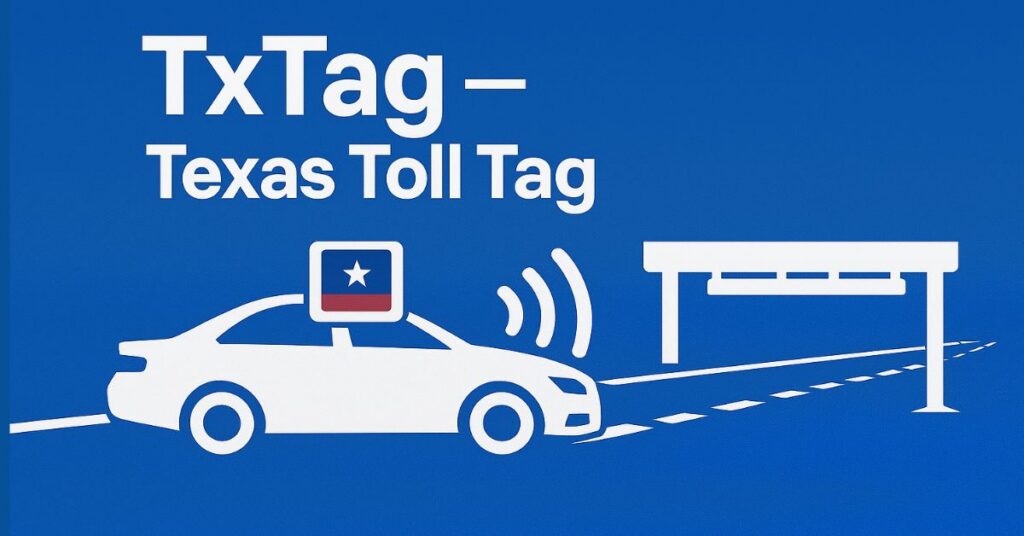
TxTag offers lower toll rates, easy online account control, and quick lane movement across major routes in Austin, Dallas, Houston, and nearby regions. It supports both short trips and long-distance drives, giving a reliable way to handle toll payments without mailed invoices. This setup helps drivers stay on schedule while keeping toll payments simple and predictable.
What Is a TxTag?
A TxTag is a small electronic tag that lets drivers pay tolls automatically on Texas roads. It connects to a prepaid account, so toll charges post the moment a vehicle passes a toll point.
TxTag comes from TxDOT and works through a thin sticker placed inside the windshield. The sticker has a chip that a toll reader scans in seconds, helping the driver move without stopping or slowing down. This setup works on many roads across Austin, Dallas, Houston, and other busy areas. It also supports trips on partner toll systems that read compatible tags.
How TxTag Works in the Toll System
TxTag links to a driver’s online account at tx tag.org, where they can add funds, view trips, or update vehicle details. The moment a tag passes a toll gantry, the system charges the driver’s balance. This reduces mailed statements and helps keep trips smoother for daily commuters. Many drivers use it for long stretches of SH 130, Loop 1, and several North Texas toll routes.
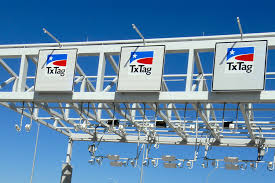
Common perks of TxTag include:
- Quick toll payment with no cash stops
- Lower toll prices compared to pay-by-mail
- Easy account tracking for multiple vehicles
- Faster movement through high-traffic toll points
How TxTag Differs From EZ Tag
TxTag and EZ Tag often work on the same toll system, but they come from different agencies. TxTag comes from TxDOT, while EZ Tag comes from the Harris County Toll Road Authority. Both tags work across most major Texas toll roads, though some drivers prefer TxTag because the sticker is free and the account has straightforward pricing with no extra monthly fees.
Why TxTag Matters for Toll Roads in Texas
Many high-traffic routes run smoother with a Texas toll tag, and TxTag works on key roads such as:
- SH 130
- Loop 1 (Mopac Expressway)
- President George Bush Turnpike
- Sam Rayburn Tollway
Drivers often pay lower rates with TxTag compared to mailed invoices. The tag also works with EZ TAG and TollTag, giving strong coverage across toll roads in Texas.
Key Benefits
TxTag offers:
- Automatic toll payment
- Lower rates on many routes
- No mailed invoices
- Simple online account for trips and payments
Quick Facts
- The sticker is free.
- Drivers prepay funds before using toll roads.
- One account can support several vehicles.
- The sticker stays with the vehicle once applied.
TxTag gives reliable toll payment on popular toll roads Texas drivers use each day, helping them move with fewer delays and more predictable costs.
How to Get a TxTag
A TxTag can be picked up online or in-store with a short registration process. Most people finish the setup in a few minutes and can start using toll roads once their TxTag account is active.
Quick Steps to Get Started
Getting a TxTag works in two simple ways: online registration or in-store pickup. Both options require basic information, a payment method, and a license plate number.
Online Registration for a TxTag
Many choose the online option because it’s the fastest. The form on TxTag.org asks for a few personal details and vehicle information. After creating the TxTag account, the user receives a confirmation email with the assigned TxTag number.
Online process:
- Visit TxTag.org (official website).
- Select “Get a TxTag” on the homepage.
- Create an account with name, email, phone, and password.
- Add plate number, vehicle make, and model.
- Pick a payment method for automatic toll payments.
- Submit the form and wait for the tag to arrive by mail.
Most tags ship within a few business days. Once it arrives, the tag installation is quick. The sticker goes on the inside of the windshield—usually behind the mirror for the best scan.
Get a TxTag In-Store
Some want a same-day tag, and walk-in locations make that possible. TxTag walk-in centers and select Texas DPS partners offer on-site registration. Staff members help create the account and hand over the tag immediately.
Bring these items when visiting a center:
- Driver license or state ID
- License plate number
- Vehicle details
- Payment card or cash for setup
After the information is entered, the customer receives a sticker tag on the spot and can place it on the windshield before leaving.
Eligibility and Required Documents
Almost anyone with a vehicle registered in the U.S. can sign up. The process only requires a few standard details:
Basic requirements include:
- A valid license plate number
- Vehicle information (make, model, year)
- Contact information
- A funding source (card or prepaid balance)
Commercial fleets can register multiple vehicles under one TxTag account, which helps track toll charges and tag numbers in one place.
If the vehicle has a specialty plate or temporary paper plate, the user may need to update the account once a permanent plate is issued.
Helpful Links and Official Resources
For accurate and up-to-date details, users can visit the official sites:
- TxTag Registration & Account Login: TxTag.org
- Customer Service & Walk-In Center Info: TxTag.org/contact
- Tag Installation Instructions: TxTag.org/installation
These resources explain the full TxTag registration process and offer support for new accounts, billing questions, and tag replacement.
TxTag Account Management
A TxTag account helps drivers handle toll payments with a quick tx tag login process and simple tools to update their details. The account setup is quick, and users can sign in anytime to review payments, update vehicle tags, or change personal info.
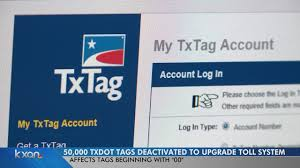
Creating a tx tag account starts with a short form on the TxTag website. New users enter their name, email, phone number, and set a tx tag password that meets basic security rules. After this, a confirmation email is sent to activate the profile. Once the activation link is clicked, the account becomes ready for the first tx tag log in.
How to Create and Log Into a TxTag Account
Setting up an account takes only a few minutes. Users provide simple contact details, choose a strong password, and add a preferred tx tag email for alerts. After activation, the login page allows drivers to enter their credentials and reach their dashboard. Most people sign in to check balances, update payment cards, or manage vehicles.
Many users keep their login info current by updating their email or resetting their password through the “Forgot Password” option. The system sends a reset link to the registered email so the account stays secure and easy to reach at any time.
Managing Personal Info, Payment Methods, and Vehicle Tags
Once inside the dashboard, the account offers clear sections for profile updates, billing, and tag settings. Drivers often update personal details like phone numbers or mailing addresses to keep toll notices accurate. The payment area lets users:
- Add a new debit or credit card
- Replace expired cards
- Turn on auto-pay
- Review recent toll charges
Keeping payment info current helps avoid penalties or delayed charges.
The vehicle section is one of the most used tools in the dashboard. Users can:
- Add new license plates
- Edit tag numbers
- Remove sold or unused vehicles
- Check tag status and linked toll transactions
These steps help prevent toll charges from going to the wrong car or owner. Many drivers update their vehicles after buying a new car, renting a temporary car, or transferring an existing tag.
Why Proper Account Management Matters
A well-managed tx tag account login helps users avoid fees, missed payments, and outdated vehicle records. The system sends email alerts for low balances, payment issues, or new toll events, which makes driving through toll roads smoother. Clear records also help users track spending and match toll charges with their travel.
How to Pay TxTag Bills
TxTag gives drivers simple ways to handle toll payment with quick tx tag pay options. Drivers can pay tx tag charges online, by phone, by mail, or through license plate billing when no tag is on the vehicle.
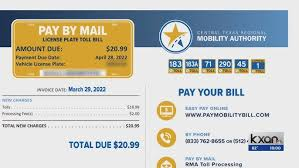
Paying a TxTag bill begins with reviewing the balance on the account dashboard. Users often sign in to check recent tolls, handle a tx tag pay bill request, or look at any tx tag missed toll notices. Keeping the balance current helps prevent late fees and makes every trip smoother.
Online Payments Through the TxTag Portal
Many drivers prefer tx tag pay online because it is fast and available at any time. After logging in, the dashboard shows the current tx tag balance, recent charges, and any unpaid tolls. Users can:
- Submit a one-time payment
- Load funds into the prepaid balance
- Update saved card details
- Turn on auto-replenishment
Online payments usually update within minutes, so drivers see their new balance almost right away. The online system also shows itemized toll activity, which helps users track trips.
Payment by Phone or Mail
Some drivers handle toll payment through customer service. Phone payments allow them to talk with a representative who processes the card over the call. This option helps users who prefer personal assistance or who need help with a billing issue.
Mail payments work for people who want a paper statement or prefer physical checks. Each bill includes the mailing address, payment slip, and the amount owed. Drivers send the check or money order along with the payment coupon to make sure the account posts correctly. Mail processing takes longer, so users often send payments early to avoid delays.
Pay by Plate for Drivers Without a TxTag
Drivers without a TxTag sticker still receive toll charges through the pay tx tag plate billing system. Cameras capture the license plate and create an invoice that arrives by mail. These bills list the toll trips, the due date, and instructions on how to pay online or by mail. Pay-by-plate charges can cost more than regular TxTag rates, so many drivers switch to a tag to save on fees.
Auto-Replenishment and Useful Notifications
Auto-replenishment helps drivers prevent low-balance problems. Users choose a payment card, set a minimum balance amount, and let the system refill funds when needed. This feature keeps the account active at all times, especially for frequent toll road users.
TxTag Tolls and Usage
A tx toll tag lets drivers move through Texas toll roads with quick scans and automatic billing. It works across major routes, making daily drives and long trips smoother.
TxTag functions across a wide network of toll roads Texas uses for faster travel. It is accepted on state-operated routes, many regional toll roads, and partner systems. Drivers with a TxTag can move through a tx tag lane without stopping because scanners read the tag on the windshield.
Where TxTag Is Accepted Across Texas
The texas toll tag system works on most major toll roads across the state. TxTag is honored by the Central Texas system, the North Texas Tollway Authority, and the Harris County Toll Road Authority. This makes the tag useful for drivers in Austin, San Antonio, Houston, and Dallas.
Major routes that take TxTag include:
- SH 130
- SH 45
- Loop 1 (MoPac express lanes)
- SH 99 Grand Parkway
- Dallas North Tollway
- Sam Rayburn Tollway
- President George Bush Turnpike
Drivers in the Dallas area often use it as their main toll tag Dallas TX option. HCTRA lanes in Houston accept TxTag as well, which helps drivers avoid multiple accounts.
Toll Lane Types and How Charges Work
Texas uses several lane types: general toll lanes, express lanes, and designated tx tag lane areas marked for electronic passes. Express lanes usually have variable prices based on traffic levels, and the system calculates the charge when a vehicle enters or exits.
A tx tag toll posts to the account soon after the trip. Drivers can see the charge in their activity list. Vehicles without a tag still get billed later through a license plate invoice, which usually costs more.
Violation Fines and Enforcement
If a driver uses a toll lane without a working tag or ignores plate invoices, the toll system sends notices by mail. Each notice includes the amount owed and a deadline. Ignoring repeated notices can lead to extra fees. In some cases, long-term unpaid bills may trigger enforcement steps such as registration holds.
Drivers can avoid fines by keeping their tag placed correctly, updating vehicle plates, and making sure the account balance stays positive. A working tag in the right spot reduces misreads and makes each trip smooth.
Why Using a TxTag Helps
A TxTag lowers toll rates, shortens travel time, and keeps billing simple. Most toll roads across the state accept it, from small connectors to large highway loops. A reliable toll system with wide coverage helps drivers move through busy areas with less delay and fewer billing problems.
TxTag vs EZ Tag
Many drivers compare TxTag and EZ Tag to see which works better for daily toll travel. Both offer quick lane use, but each has different benefits, prices, and coverage strengths.
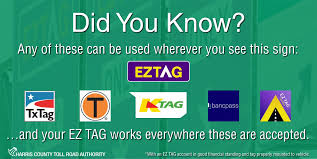
TxTag is issued by the Texas Department of Transportation, while EZ Tag is provided by Harris County for drivers who travel often in the Houston region. People often ask is tx tag the same as ez tag. They are not the same, but they work across most of the same toll roads, so drivers can use either tag on many major routes.
Feature and Coverage Comparison
Both tags support automatic toll billing, lane scanning, and online account tools such as the tx ez tag login or private dashboards. TxTag covers a wider area by default because it works across nearly all Texas toll systems, including Austin, Dallas, San Antonio, and Houston. EZ Tag is built mainly for ez tag houston tx drivers who travel through HCTRA routes, but it is accepted across the entire statewide network as well.
Coverage highlights:
- TxTag: Strong for Austin, Dallas, Central Texas, and statewide travel
- EZ Tag: Strong for Houston-area toll roads and local routes
Drivers in Austin sometimes use EZ Tag, and some refer to it as ez tag austin tx, but TxTag usually fits that region better.
Pricing, Fees, and Account Differences
The deposit and setup costs vary. TxTag does not charge an initial fee for the tag itself, and users load funds into the account to start driving. EZ Tag may require a small upfront cost depending on the number of tags requested. Many Houston drivers check ez tag cost houston tx to understand their starting amount and balance rules.
Key points drivers compare:
- Startup costs
- Prepaid balance rules
- Toll rates on local roads
- Mobile and account tools
- Customer support options
Most toll rates stay similar across both systems because the agencies share billing agreements. The main difference comes from where the driver spends most of their time.
Which Tag Works Best?
Drivers who travel through multiple cities often choose TxTag because its statewide coverage fits wide travel patterns. Those who stay near Houston usually prefer tx ez tag options because they match local traffic needs. Both tags scan quickly, keep traffic moving, and help drivers stay on top of toll charges without slowing down.
TxTag Scams and Warnings
TxTag users should be aware of common tx tag scam attempts that try to steal personal or financial information. Reports of tx tag text scam messages and fake websites have increased, but knowing the signs can keep accounts safe.
Common Scams Targeting TxTag Users
Scammers often send messages pretending to be TxTag, asking for login details, payment information, or verification codes. Common examples include:
- TxTag text message scam: Texts claiming an overdue toll payment or account issue, urging users to click a link.
- Fake websites: Sites mimicking TxTag login pages to steal credentials or tx tag password details.
- Emails with attachments that appear official but contain malware.
These scams rely on urgency or fear to trick drivers into sharing sensitive information.
How to Spot and Report Scams
Users can protect themselves by checking for official contact methods. Legitimate TxTag communications will come from recognized emails, the TxTag portal, or official phone numbers. Signs of fraud include unexpected payment requests, suspicious links, or messages asking for personal information outside the official account.
Steps to stay safe:
- Avoid clicking unknown links or attachments.
- Verify the sender by checking official TxTag contact info.
- Report tx tag scam attempts to TxTag customer service immediately.
- Delete suspicious messages and monitor account activity regularly.
Remaining cautious helps drivers avoid phishing attempts and keeps accounts secure. Official tx tag security practices, such as strong passwords and account monitoring, reduce the risk of unauthorized charges and ensure drivers are not misled by scams.
TxTag Sticker and Tag Placement
Correct tx tag sticker placement is essential for reliable toll detection. Placing the tag in the recommended spot ensures scanners read it accurately and charges post correctly to the account.
Proper Sticker Placement
TxTag stickers are electronic tags designed to stick to the inside of the windshield. For optimal performance:
- Place the sticker behind the rearview mirror, centered on the glass.
- Ensure the windshield area is clean and dry before application.
- Avoid placing the sticker near tinted edges, dashboard reflections, or metal mounts.
Proper tag installation guarantees smooth passage through tx tag lanes without missed tolls or read errors.
Maintenance Tips and Common Mistakes
Drivers should occasionally check the sticker for peeling or dirt buildup. Avoid touching the tag’s electronic surface and never reposition it after initial placement, as this can damage the electronic chip.
Common mistakes include:
- Placing the sticker too low or on side windows
- Covering it with stickers, decals, or tint film
- Not cleaning the windshield before installation
Following these tips ensures the electronic toll tag installation works consistently, prevents missed tolls, and keeps the tag setup reliable for every trip. Proper care of the TxTag sticker extends its lifespan and reduces account issues related to unread or damaged tags.
Frequently Asked Questions
TxTag users often have questions about account management, toll payments, and tag maintenance. Here are answers to common concerns to help drivers manage their accounts efficiently.
What Is TxTag?
TxTag is an electronic toll collection system used across major Texas toll roads. It allows drivers to pass through toll lanes quickly, with charges posted automatically to the account. Drivers can link multiple vehicles to a single account and manage their balance online or through the mobile dashboard.
How Do I Renew My TxTag?
Renewing a TxTag is simple and can be done online or by visiting an official location. Users can extend the tag’s validity before it expires by logging in to their account or contacting tx tag customer service. Renewal ensures uninterrupted access to tx tag lanes and prevents violations for inactive tags.
What If I Lose My Tag?
If a tag is lost, it should be reported immediately to prevent unauthorized toll charges. Drivers can order a replacement via the website or at tx tag office locations. Once replaced, the old tag is deactivated to avoid errors or duplicate charges.
How Do I Pay My TxTag Bill?
Users can tx tag pay bill online, by phone, mail, or through the license plate pay by plate system. It’s important to check the tx tag balance regularly and ensure auto-replenishment is active to prevent missed payments.
Where Can I Find TxTag Services Near Me?
To locate services, drivers can search tx tag near me online or visit the TxTag website for an updated list of official offices. These locations handle tag issuance, account questions, and troubleshooting.
How Do I Troubleshoot Account or Payment Issues?
If a payment doesn’t post or there is a balance error, users should:
- Verify recent toll activity and payment history
- Confirm the correct payment method is linked
- Contact tx tag customer service for account recovery assistance
Proper account management helps prevent violations, missed tolls, or delays in travel. By keeping contact information updated and monitoring notifications, drivers can maintain smooth operations with minimal disruptions.